![[ChimeraX Issue Tracking System]](/trac/ChimeraX/chrome/site/ChimeraX-icon.svg)
#351 closed defect (fixed)
Turning on soft/full lighting hides a surface within a transparent surface
| Reported by: | Elaine Meng | Owned by: | Tom Goddard |
|---|---|---|---|
| Priority: | major | Milestone: | |
| Component: | Depiction | Version: | |
| Keywords: | Cc: | ||
| Blocked By: | Blocking: | ||
| Notify when closed: | Platform: | all | |
| Project: | ChimeraX |
Description
Tested in three situations: with an isosurface inside of transparent sphere atoms, an isosurface inside of another isosurface (separate volume models), and atom sticks inside a transparent isosurface.
I could see a little bit of the sticks right where they were very close to the surface, as if it were murky water. Images attached, default and soft lighting.
Attachments (5)
Change History (10)
by , 10 years ago
| Attachment: | sticks1.png added |
|---|
by , 10 years ago
| Attachment: | sticks2.png added |
|---|
comment:1 by , 10 years ago
comment:2 by , 10 years ago
For the case of a molecule inside a molecular surface I think the best appearance would be if the molecule did not show ambient shadowing, but the surface does show it. It would be easy to add an option to turn off showing ambient shadows for specific models and this is something Jeff Blaney asked about for showing a ligand in a binding site. But this doesn't solve our problem because ChimeraX won't be able to figure out automatically when it is good to turn off showing ambient shadows for certain models. So we can make the scene look good, but the user will have to know a lot, and that is no good.
by , 10 years ago
| Attachment: | image3.png added |
|---|
comment:6 by , 10 years ago
I agree it’s not optimal to require the user to know “tricks,” but having some command to adjust the setting and make it look good is still better than having no way at all, as for some transparency-related problems in Chimera.
comment:7 by , 10 years ago
| Resolution: | → fixed |
|---|---|
| Status: | new → closed |
I decided a better solution is if the transparent surface casts no shadows. Then a molecule inside a transparent surface can still show nice ambient occlusion lighting.
I added a transparentCastShadows true|false option to the material command, initial value false.
Attached two images showing the old behavior (molecule black inside transparent surface), and new behavior.
comment:8 by , 10 years ago
A possibly weird behavior is that shadows are shown cast onto transparent surfaces, but the surfaces themselves don't cast any shadow.


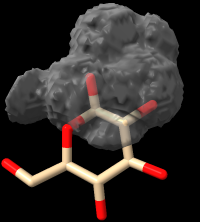

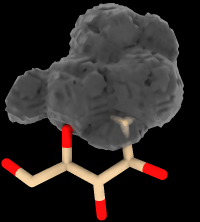

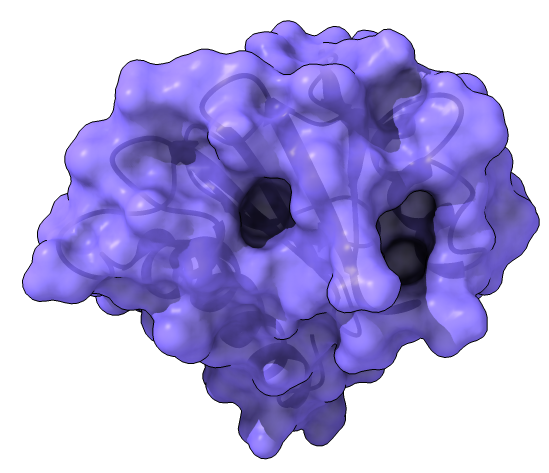

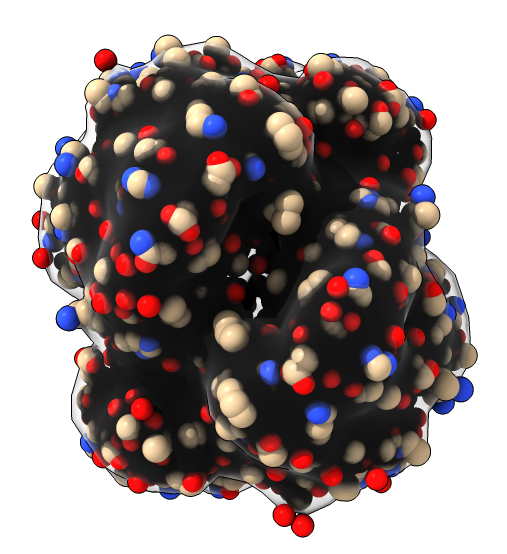

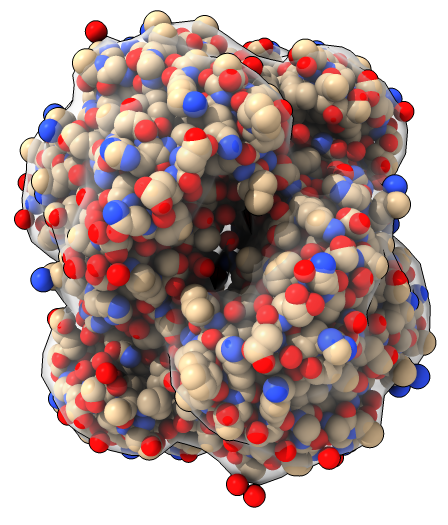
This is because transparent surfaces cast shadows as if they are fully opaque. Since no light can reach inside the transparent surface because of the shadowing, all objects inside the surface look black. If you use white background you see the objects inside are black.
I don't have a good solution for this. Our current shadowing method cannot handle transparency correctly because the shadows are handled by recording the depth from the light source where the first object occurs. It has no idea if that first object is transparent or what additional objects might be behind the first one struck by the light.
One idea is to make transparent objects not cast shadows. This has the drawback that ambient shadows won't work on the transparent surface itself. I've attached an example image showing current ambient shadows with a transparent surface and ribbon inside on a white background. Looks good. Of course on a black background the ribbon is invisible.
Our basic difficulty is that transparency is very complex to do right without using raytracing which is too slow for molecular graphics.